App for iOS and Android
Crypto trading bots, right on your phone
RevenueBot trades around the clock with an order grid on your Binance, Bybit, OKX or other exchange account. In the app you create bots, follow every trade and change settings in a couple of taps.
- 16 exchanges
- Spot and futures
- Simulation mode
- EN · RU · ES
The app
Bots, trades and settings always at hand
Bots
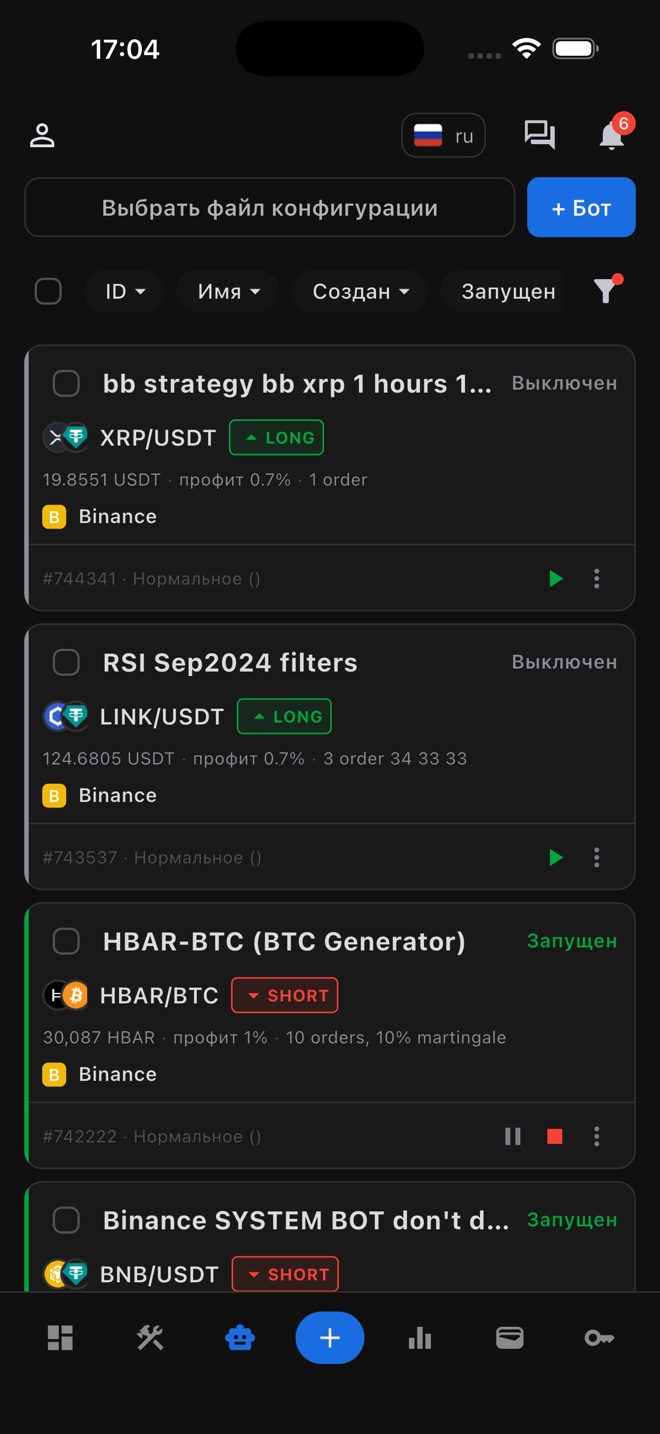
All your bots in one list
Pair, exchange, direction, deposit, profit target and order grid are visible at a glance. Start, pause and stop bots right from the list. When you run dozens of them, sorting, filters and bulk actions help.
Bot statistics
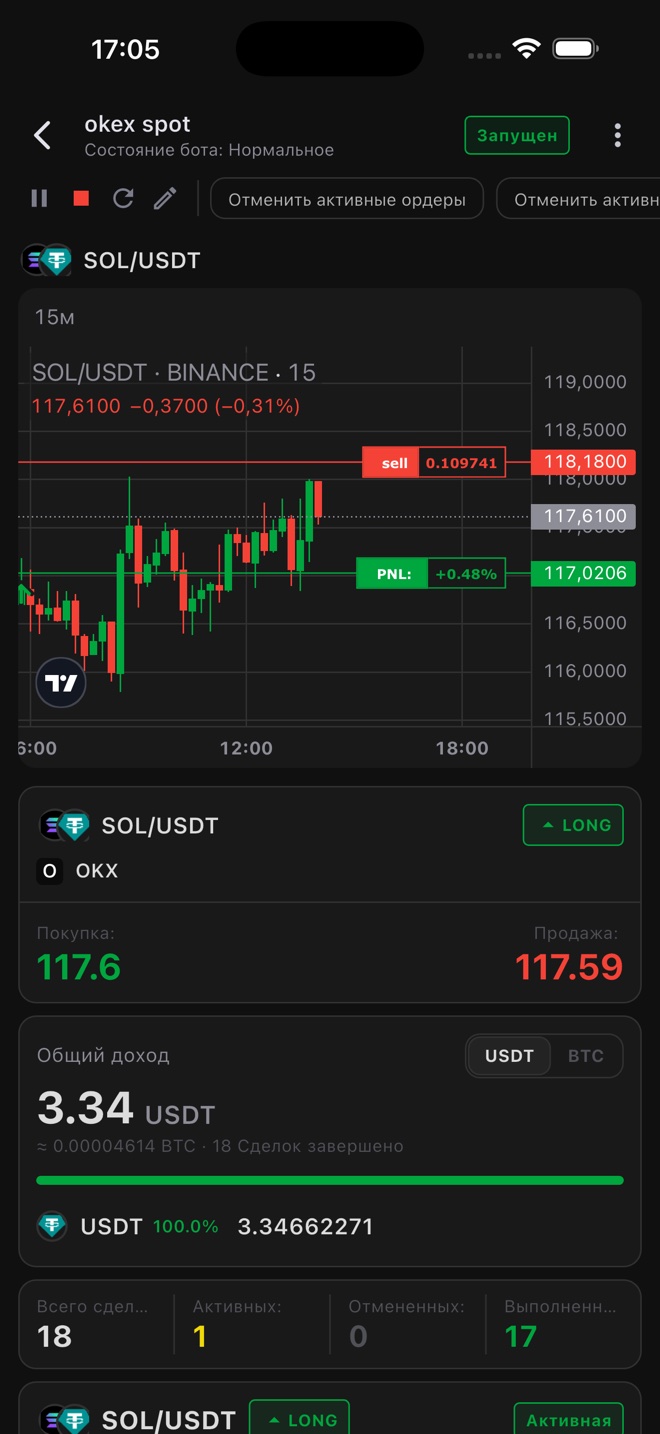
Every trade on the chart
Bot orders and the current PNL on a TradingView chart. Below it you see total profit in USDT or BTC, the number of trades and the state of the active cycle. Cancel active orders with a single button.
Bot settings
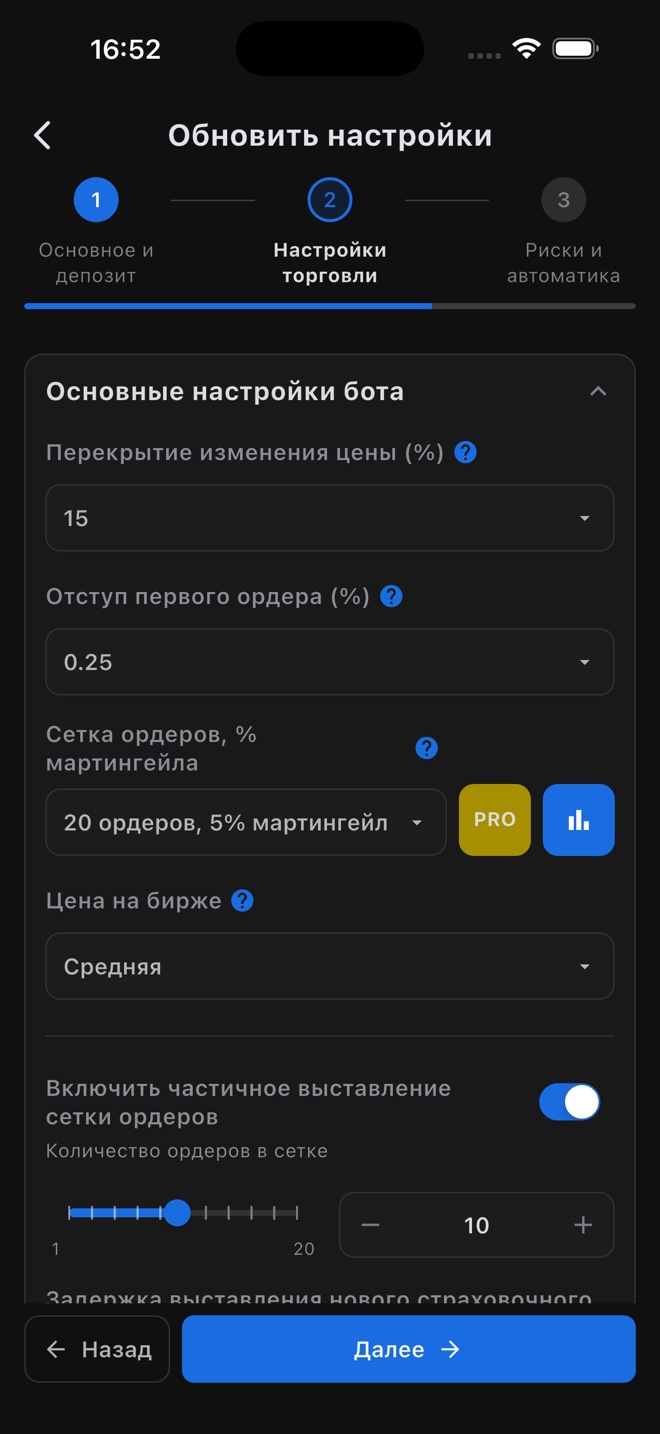
A strategy for your market
Setup takes three steps: basics and deposit, trading settings, risks and automation. Price change overlap, first order indent, an order grid with martingale and partial grid placement. The bot can also pick the pair with the best volatility on its own.
Tools
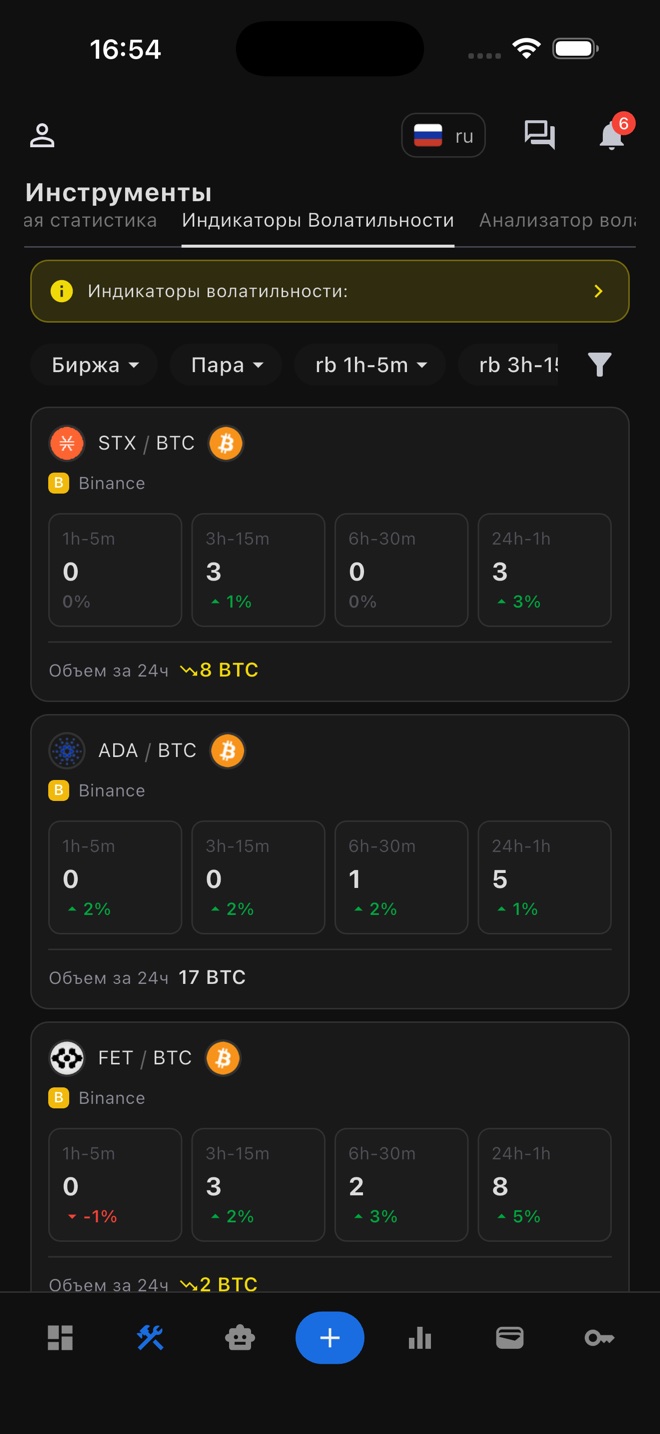
Data for choosing a pair
Volatility indicators for every pair across four intervals, plus 24-hour trading volume. Statistics and the volatility analyzer help you decide where to launch your next bot.
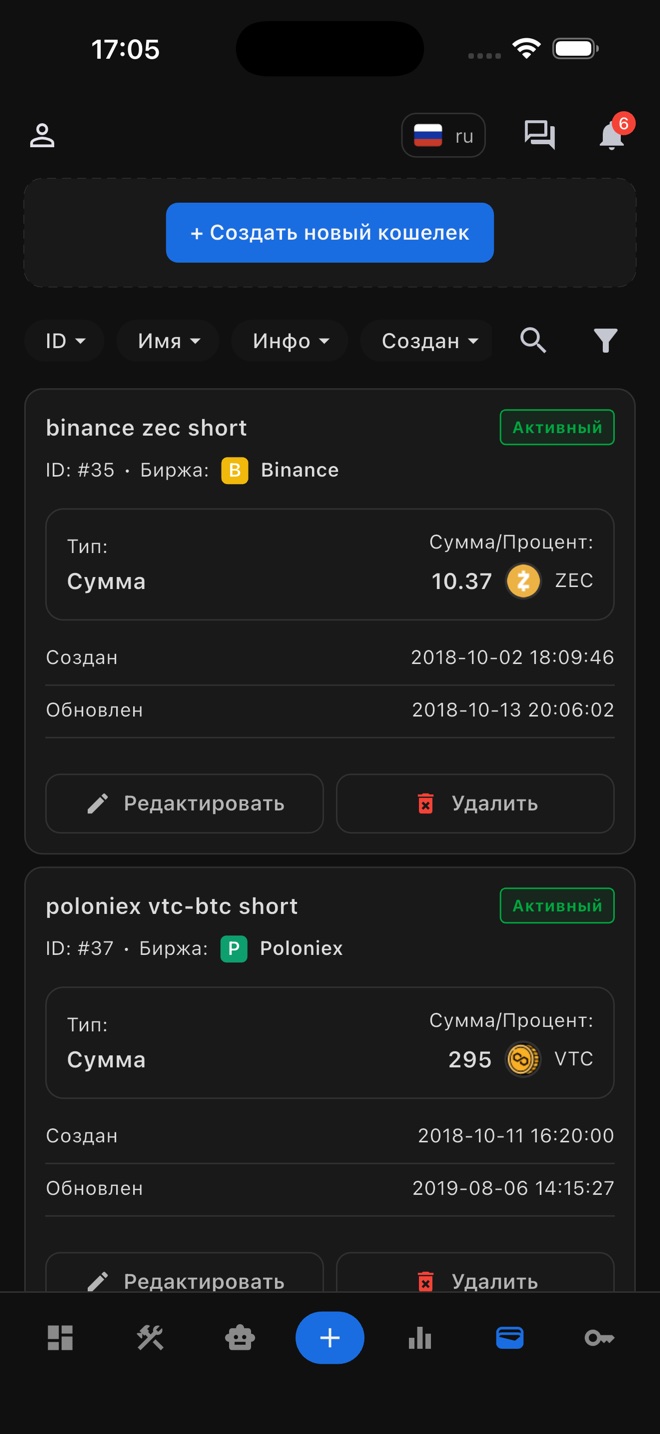
Wallets
Every bot's deposit under control
A wallet sets the amount or the share of your exchange balance a bot can use. Your money stays in your exchange account.
Security
Your money stays in your exchange account
RevenueBot is not an exchange or a wallet. We don't accept deposits or hold crypto: the bot works with your account through an API key.
Trading via API key
You create a key in your exchange account and add it to the app. The bot only needs trading permission, so the key doesn't need withdrawal rights.
Wallets don't move money
The Wallets section only sets how much of your exchange balance each bot can use. Funds never leave the exchange.
Sign-in protection
Two-factor authentication for your account and a PIN code for the app.
Getting started
Three steps to your first bot
- 1
Connect an exchange
Sign up, create an API key on your exchange and add it in the API keys section.
- 2
Set up a bot
The quick start wizard walks you through the steps: exchange and pair, strategy and deposit, order grid.
- 3
Start it
Check the summary and tap Create and start. All parameters can be changed after creation.
Simulation mode. The bot trades on a virtual balance, no real funds involved. See how a strategy behaves in the market before you commit a deposit.
Download RevenueBot
Free for iOS and Android. If you already trade in the web dashboard, sign in with the same account: your bots, keys and statistics will be there.
Open the web dashboard →